How We’re Turning Workflows Into Conversations With Claude and Relay
8 min read
·
Oct 20, 2025
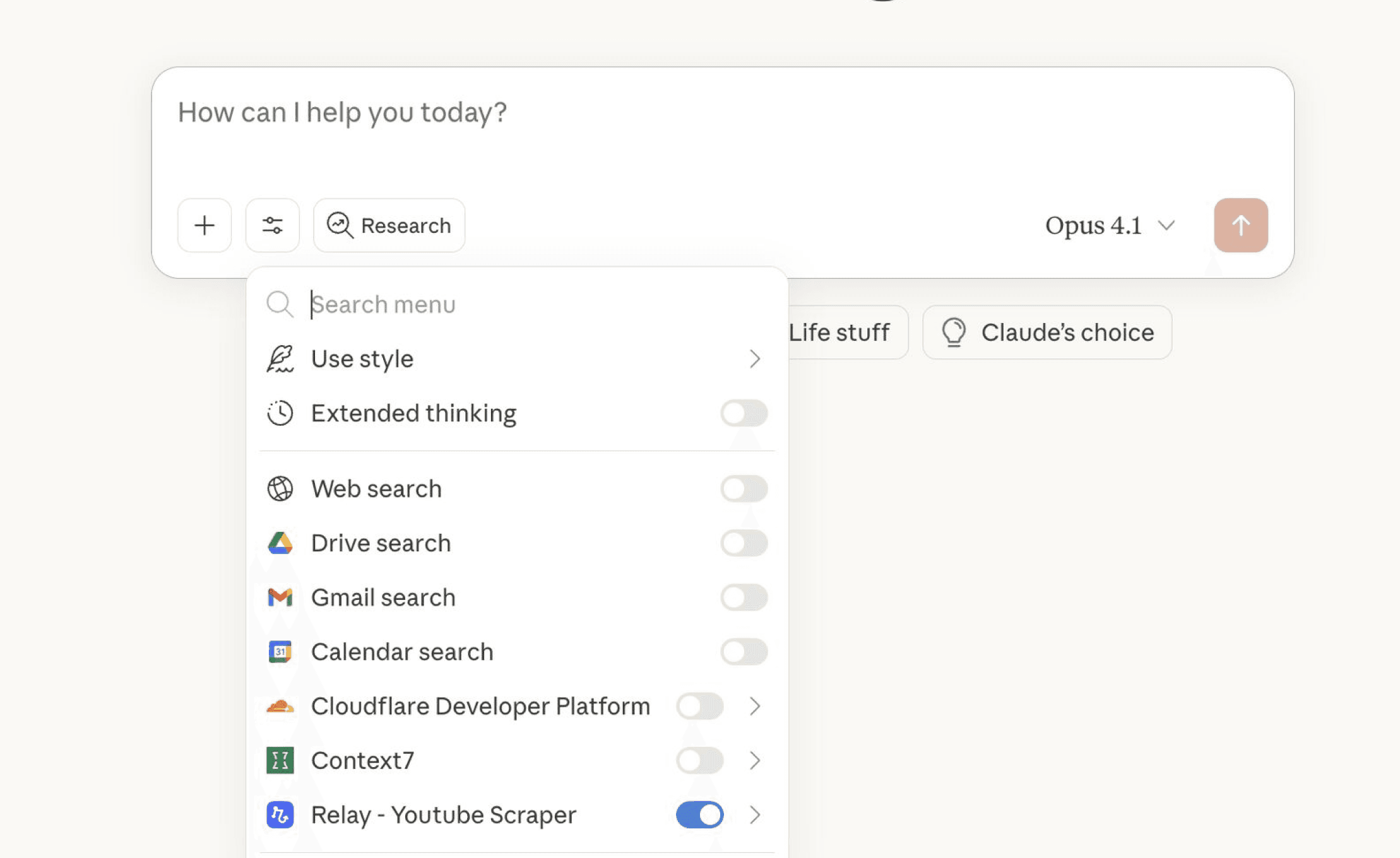
AI agents are evolving fast, but the real goal remains the same: they should feel natural to use. The best AI interactions feel like conversations, not interfaces.
If using your agents feels like clicking through menus and running manual flows, you are missing the point. The experience should feel like talking to Claude — open a chat, ask for what you need, and watch work happen.
That is exactly what new connections between Claude and Relay.app make possible through the Model Context Protocol (MCP).
The Shift From Flows to Conversations
Until recently, AI workflows lived inside automation tools. Each flow needed to be opened, configured, and triggered manually.
Claude’s integration with MCP changes that. It lets chat models talk directly to connected tools. Instead of managing a flow, you just chat.
The conversation becomes the workflow.
How It Works
We have been experimenting with connecting Relay projects to Claude through MCP. The setup is simple but powerful.
Front end: Claude’s chat interface
Back end: No-code workflows in Relay
When a workflow is connected, Claude can call that Relay “agent” on demand. The automation runs quietly in the background, and results appear in the chat.
Example:
“Pull the last 10 YouTube posts for this company. Analyze engagement. Suggest lead magnet ideas.”
Claude receives the prompt, routes it through the Relay workflow, processes the data, and sends the insights back into the same chat.
No dashboards. No switching tabs. Just results.
Why This Matters
This setup bridges two worlds — conversational AI and workflow automation. It gives users the best of both.
Conversational simplicity. The user only interacts with chat.
Operational depth. The automation engine handles the logic behind the scenes.
Faster iteration. You can change a workflow in Relay without touching the chat interface.
This model turns AI agents into something practical. Instead of being abstract assistants, they become real tools that can handle context-rich requests and deliver results instantly.
Insight
The future of automation looks conversational. You should not have to manage tools. You should talk to them.
Early Learnings
Keep flows modular. Each workflow should handle one clear task.
Standardize naming. Clear names help users remember what each agent does.
Design for conversation. Build prompts that sound like natural requests, not commands.
Limit dependencies. The simpler the flow, the smoother the response time.
This balance between flexibility and simplicity is what makes Claude + Relay work well together.
Getting Started This Week
Create a simple automation in Relay, like fetching YouTube data or generating summaries.
Connect it to Claude through MCP.
Test a single conversational request that triggers that automation.
Refine the flow based on how natural the chat feels.
Document the best-performing prompts for your team.
Closing Thought
AI agents should not live behind dashboards. They should meet you where you work — in the conversation itself.
With Claude and Relay, that vision is starting to feel real. Workflows can now run like dialogue. One chat at a time.